

Hosting services with real-time fast performance?


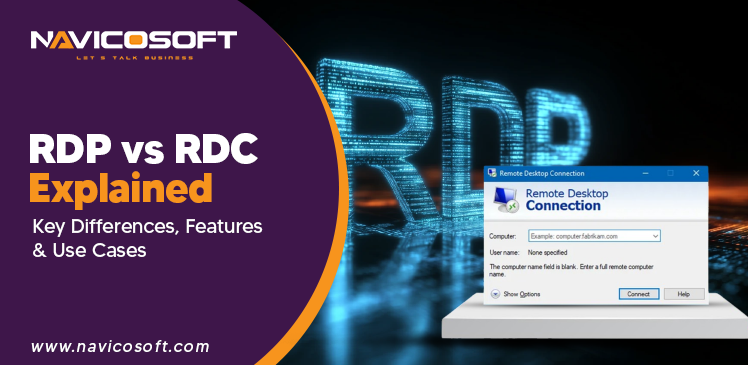
RDP vs RDC Explained: Key Differences, Features & Use Cases
RDP and RDC are strongly connected remote access technologies, but they differ in functionality. RDP is the protocol that provides remote communication between computers. However, RDC is the Windows application that deploys RDP to link with another device. Knowing the difference helps businesses, technical teams, and remote workers select a stable setup for safe remote access, troubleshooting, and routine remote work tasks.
What is RDP?
This is a Microsoft technology that enables you to access and control another computer over the internet or a network. RDP helps users to work on a remote computer just like they are sitting in front of it. Businesses often deploy RDP for remote work, technical assistance, and server management.
Key features of RDP:
- Remote Desktop access : The technology provides access and control of remote computers from any connected network location.
- Multi-Session support : By leveraging RDP, multiple users can easily connect and work on servers simultaneously remotely.
- Data encryption : RDP encodes remote sessions to safeguard data during online communication.
- Device and printer redirection : Remote desktop protocol helps to use local printers, drives, and devices within remote sessions.
- Remote administration : With the help of RDP, technical teams can manage servers and systems remotely for maintenance operations.
Advantages of using RDP:
- Budget-friendly solution : Remote desktop protocol is designed into Windows. This reduces extra software and licensing charges.
- Easy remote access : RDP enables users to access office computers from multiple remote locations.
- Simple technical management : This solution is the perfect option for administrators troubleshooting, updating, and managing systems remotely.
Common use cases of RDP:
Followings are some common use cases of RDP:
- Remote technical Support
- Server Management
- Remote Work
- Environments
- Virtual Desktop Infrastructure (VDI)
- Cloud-Based Access
What is RDC?
RDC is a Microsoft application that is used to connect with another computer via RDP technology. Thus, it helps users to access files, apps, and desktops remotely from another device. RDC is often deployed for remote work, technical support, and system management.
Key features of RDC:
- User-friendly interface : RDC has a simple layout that helps users easily navigate and connect.
- Easy remote connections : This technology quickly connects remote computers leveraging saved credentials effectively.
- File and resource sharing : Users can easily share files and resources between local and remote systems.
- Remote application access : RDC allows to run remote apps as these are installed on local devices.
- Connection management : This tool is designed to save, organize, and manage multiple remote desktop connections easily.
Advantages of deploying RDC:
- Easy to use : RDC has a user-friendly interface that makes remote connections direct and quick.
- Built-in Windows tool : There is not any requirement for extra installation for most users.
- Perfect remote access : RDC gives streamlines access to files and applications remotely.
Common use cases of RDC:
- Accessing office computers
- Remote troubleshooting
- Home-to-Office connectivity
- Small business remote Access
- Administrative operations
How do RDP and RDC work together?
RDP and RDC perform together by integrating protocol and application. RDP is a communication method that sends data between computers. However, RDC is the client application that is used to start and manage the connection. Collectively, they enable users to safely access and control remote systems over a network connection.
RDP vs RDC: Feature Comparison
Purpose:
RDP hosting is a protocol that provides remote communication between computer systems. This tool allows desktop access, data transmitting, and virtual machine connectivity efficiently.RDC is a Microsoft client program. This is used to begin remote connections and enable users to access remote computers by leveraging RDP protocol.
Functionality:
RDP administers data transmission, screen sharing, input control, and session management between local and remote systems over networks.RDC gives a user interface for connecting, saving sessions, managing credentials, and accessing remote desktops. RDC uses basic RDP protocol operations.
User Interface:
RDP has no direct GUI. Therefore, it works as a backend communication protocol for managing remote session data transfer invisibly.RDC provides a GUI. This enables users to input credentials, customize settings, and graphically control remote desktop sessions easily.
Security:
RDP deploys encryption, network level authentication, and secure protocols. This helps to secure data transfer and protect from unauthorized remote access.RDC depends on login details and secure RDP protocols to make secure remote sessions between client and host machines.
Performance:
RDP maximizes bandwidth deployment, compresses data, and streamlines display quality efficiently. This delivers efficient remote desktop performance under fluctuating conditions.RDC performance relies on network quality, system resources, and RDP optimization. This ensures optimal remote access experience for users.
Compatibility:
RDP powers different Windows versions, server environments, and multi-network systems. This enables extensive compatibility across corporate and remote infrastructures.RDC is compatible with Windows OS and connects only to devices enabling the RDP protocol for remote sessions.
Security considerations for RDP and RDC:
- Multi-step verification adds an additional security layer for remote access sessions.
- VPN connectivity secures RDP and RDC connections over public networks.
- Secure password strategies save unauthorized access and protect user credentials.
- Network Level Authentication validates users before developing remote desktop sessions.
- Frequent updates and patching fix vulnerabilities and enhance system security.
RDP vs RDC: Which one should you choose?
When to use RDP :
You can use RDP to configure remote access infrastructure and server-side communication protocols in corporate environments.When to use RDC :
RDC can be used for end users that need simple graphical tools to connect and control remote computers efficiently.What are the challenges and limitations of RDP and RDC?
Challenges and limitations of RDP:
- Performance troubles on slow or unstable internet connections.
- Higher security concerns if ports and access are not completely secured
- Lag and latency during graphics-heavy or real-time operations
Challenges and limitations of RDC:
- RDC relies on RDP infrastructure, means it cannot perform independently
- Performance may degrade slowly on low-bandwidth connections
- RDC needs precise configuration of both host and client systems
Future of Remote Desktop technologies:
Remote desktop technology is moving to cloud hosting solutions for optimal flexibility and scalability. Security increases with rigid access control models. Performance is enhanced for poor network connections. AI helps check systems automatically. Moreover, virtual desktops and hybrid work setups are getting common in advanced workplaces.
Final thoughts on RDP vs RDC:
Review RDP vs RDC differences: RDP protocol vs RDC remote access technology, both provide remote access. However, the choice depends on demands. Navicosoft prefers secure configuration, reliable security, and efficient deployment. So, businesses can get the best remote work, technical management, and reliable performance in advanced business environments.









